Every machine.
Every minute.
Stands alone. Better with FloorPulse.
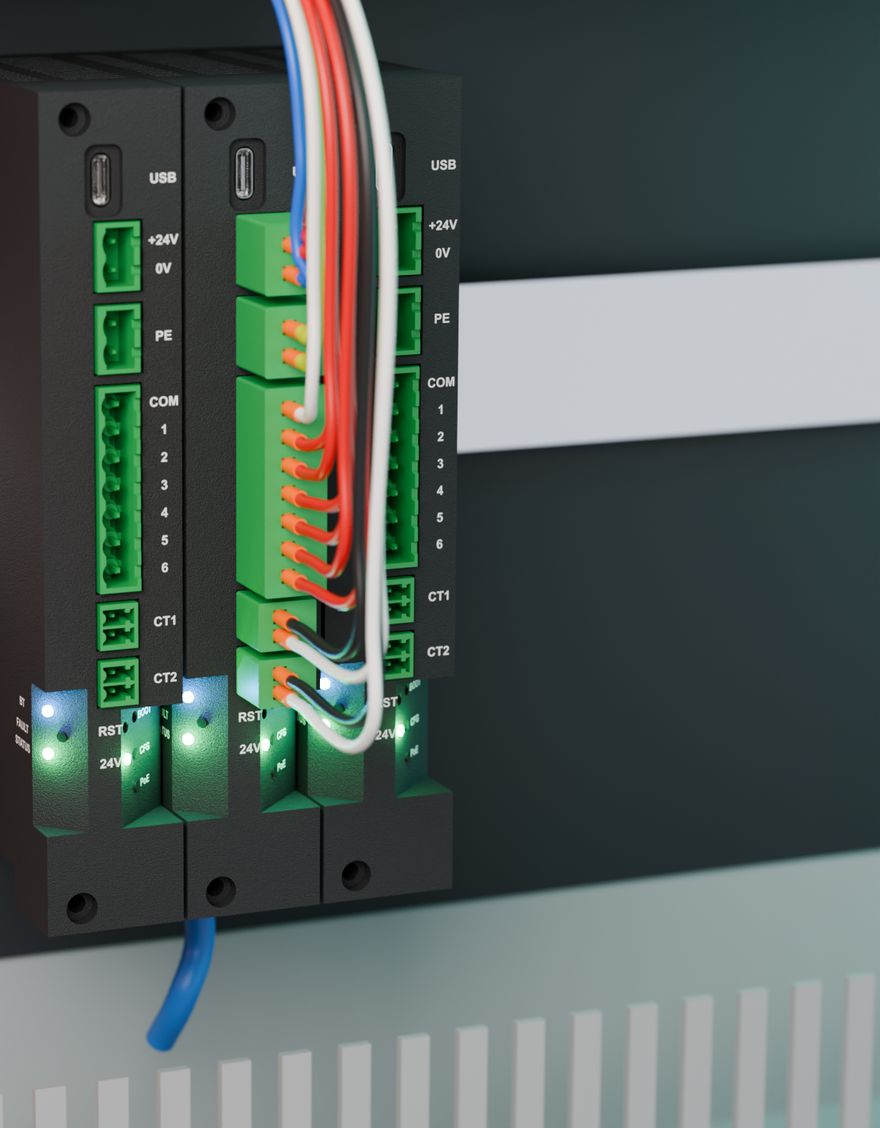
AndonTap is a 26.4 mm DIN-rail module for the machine's control cabinet. It taps the stack light, machine signals and spindle current that are already there, and tells your plant network what the machine is doing: running, idle, in alarm or in setup. No PLC programming, no gateway, no cloud.
Simulated machine. These are real input registers from the firmware 1.5 map: every unit serves them on Modbus TCP port 502, at the same addresses on every machine.
The machine knows what it is doing. Your network doesn't.
Most shops can say what a machine should have run today, not what it did. The answers end up on whiteboards and in operator logs, filled in at the end of the shift.
- Mixed and older fleetsDifferent builders, different controls, some with no Ethernet at all. Every brand wants its own adapter or software option.
- A PLC per machine is a projectInput cards, an analog module, current transducers and someone to write and maintain the program on every machine.
- Cloud boxes want your networkMany monitoring products need a gateway, an internet connection and a subscription before you see a single number.
- The signals are already thereEvery machine has a stack light, a few 24 V signals and a spindle motor. They say what the machine is doing. Nobody is reading them.
It taps signals that already exist
AndonTap reads the lamp wires, a few machine signals and the spindle current in parallel with what is there. No rewiring of the machine's logic, no changes to the CNC control or a PLC program. Inputs draw about 2 mA, so the lamps work as before.
Snap on and wire
Clip onto TS35 rail. Tap the lamp terminals and the lamp common, wire any 24 V machine signals, and clamp a CT around one phase of the spindle feed. Power from PoE or 24 VDC.
Set it up from a laptop or phone
Over USB-C or Bluetooth, in a browser: name the machine, assign each lamp, set the CT and give it a static IP. A new unit sends nothing on the network until you do.
Point your software at it
Import the generated Kepware tag file or Studio 5000 UDT, or read the registers from any Modbus TCP client. The register map is the same on every unit.
State, counts and runtime, worked out on the unit
The logic ships in the firmware. Your SCADA reads finished numbers, not raw bits it has to interpret.
Machine state
Running, Idle, Alarm, Setup, Warning, Maintenance, Off. Up to 8 IF/THEN rules on lamps, inputs, spindle and power decide it. Steady and flashing lamps are told apart.
Counts
Any input can count parts instead of watching a lamp. Every input also counts its changes. Counters are saved to FRAM every second and survive power loss and firmware updates.
Runtime
Seconds in each machine state, time in the current state, on time and flashing time per input, CT2 run time and starts, and the number of state changes.
Cutting vs. idle
Spindle current says more than a green lamp: stopped, turning or actually cutting, with spindle on time, cut time and starts. Thresholds come from the motor FLA or are captured live.
Works with the software you already run
The unit is a server on your plant network. Your SCADA, PLC or MES reads it directly. No gateway, no cloud account, no DHCP required.
Any Modbus client
Input registers 0-123 (FC 04), mirrored at holding registers 1000-1123 (FC 03) for clients that only read holding registers. Up to 4 clients at once.
Kepware
The setup app writes a Kepware tag file named with the machine's own lamps and CTs. Add a Modbus TCP/IP Ethernet device, import, done.
Ignition
Read the fixed register map with Ignition's Modbus driver. One tag template covers every machine on the floor.
Studio 5000
Add it as a Generic Ethernet Module with class 1 I/O. The setup app exports a matching UDT (.L5X) so the data copies straight in.
CLICK, Micro800 and other PLCs
Controllers that act as Modbus TCP clients read the mirrored holding registers. 32-bit values are low word first.
Anything that speaks Modbus TCP
The layout is fixed and documented, the same on every unit, so it stays put when you add the next machine.
1 EtherNet/IP conformance has not been tested yet, and the vendor ID is a placeholder until ODVA assigns one.
One narrow module per machine
Stands alone. Better with FloorPulse.
Works with what you run today
Kepware, Ignition, an Allen-Bradley PLC or your MES read AndonTap directly. You do not need FloorPulse, a gateway or any Altitude AP software to use it.
A live floor view out of the box
FloorPulse is Altitude AP's Ignition-based shop-floor product. It already knows the AndonTap register map: add a unit and the machine shows up with runtime and OEE by shift, day and month.
Tell us about your machines
How many, which controls, the stack-light voltage and what will read the data. We'll come back with a quote and availability.